Meimag
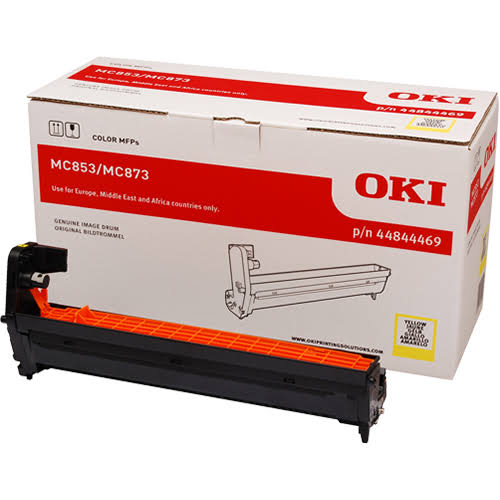
OKI MC853/MC873/MC883 Yellow Original Drum
OKI MC853/MC873/MC883 Yellow Original Drum
Couldn't load pickup availability
Delivery in 1-2 days
The OKI 44844469 Yellow Original Image Drum is a genuine OKI replacement drum designed for the OKI MC853, MC873 and MC883 colour multifunction printers. It forms an essential part of the yellow imaging system, helping produce consistent colour density, sharp detail and reliable print quality.
With an approximate yield of 30,000 pages, this high-capacity drum is well suited to busy offices and environments with regular colour printing requirements.
Key Features
- Genuine OKI Original Image Drum
- Colour: Yellow
- Part Number: 44844469
- Yield: Up to 30,000 pages
- Designed specifically for OKI MC853, MC873 and MC883
- Helps maintain consistent yellow colour reproduction
- Supports sharp images, graphics and business documents
- Separate drum unit – toner is not included
- Designed for reliable, high-volume printing
Technical Specifications
| Specification | Details |
|---|---|
| Brand | OKI |
| Product Type | Original Image Drum Unit |
| Part Number | 44844469 |
| Colour | Yellow |
| Approx. Yield | Up to 30,000 pages |
| Printing Technology | LED |
| Compatible Printers | MC853, MC873, MC883 |
| Toner Included | No |
| Condition | New / Original OEM |
OKI's consumables information lists 44844469 as the yellow image drum for the MC853, with a rated average life of 30,000 A4 pages. Other OKI product listings confirm compatibility with the MC853, MC873 and MC883.
Compatible Printers
The OKI 44844469 Yellow Drum is compatible with:
- OKI MC853
- OKI MC873
- OKI MC883
Drum Unit vs Toner Cartridge
It is important to note that the 44844469 is a drum unit, not a toner cartridge. The drum is the imaging component that forms the toner image before it is transferred to the paper. The yellow toner cartridge is a separate consumable.
Why Replace the Drum?
A worn image drum can contribute to issues such as:
- Uneven yellow colour density
- Repeating marks or spots
- Streaks or lines
- Faded or inconsistent colour output
- General deterioration in print quality
Replacing the drum when prompted or when persistent image defects occur can help restore consistent imaging performance.
Share